

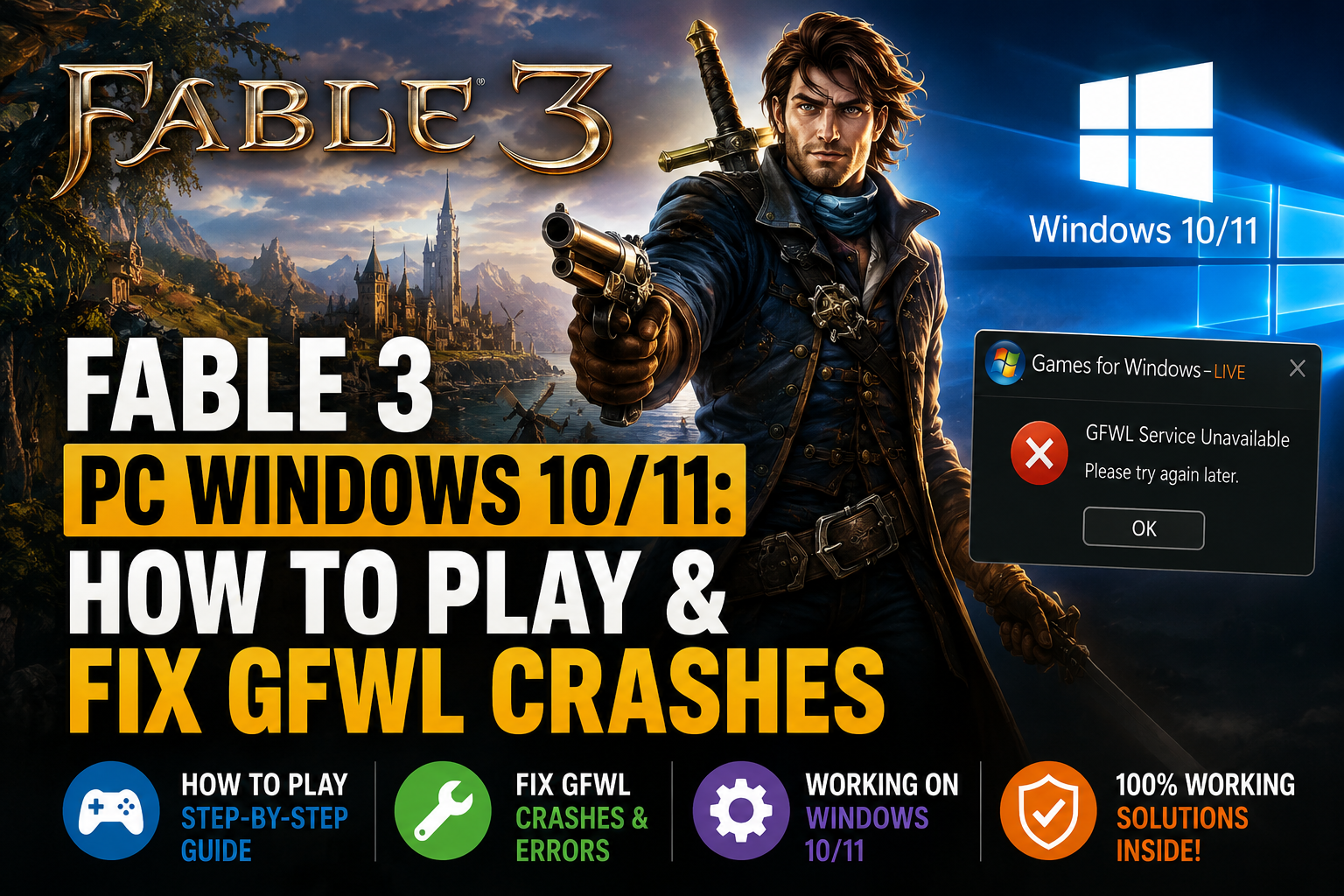
If you’re looking for Fable 3 PC Windows 10/11, you’re likely asking yourself one very basic question: can you still play this classic RPG on a modern PC? The short answer is yes, but it’s not as simple as downloading a recent release and hitting play.
Fable III, which originally arrived on PC in 2011, is still one of the most beloved action RPGs in the series.
But its PC port was built with the now-broken Games for Windows Live (GFWL) platform in mind. Fable III also became one of the more high-profile titles to be delisted from major PC digital storefronts, making it hard to find and run a legal version of the game.
Because of this, there’s still a consistent demand for information on Fable 3 PC Windows 10/11 compatibility. Luckily, there are still several valid ways to get your hands on the game: through a physical copy, via a digital license you already own, or with the help of an Xbox cloud streaming subscription.
Once you’ve secured your legitimate copy, a bit of help from community-created patches can go a long way toward fixing those old GFWL errors that crash, prevent launching, or otherwise corrupt the experience.
Quick Answer: Can You Play Fable 3 on Windows 10 or Windows 11?
Yes. Fable 3 can still be played on Windows 10 and Windows 11, but as the issue often varies based on which edition you have and how your local copy of GFWL’s legacy code behaves, I cannot promise that these solutions will help your system out.
The issue with the PC version often arises as:
- The game crashing during startup
- GFWL-related errors
- Problems creating or loading a save
- Compatibility issues with modern Windows systems
- Missing or broken legacy components
- Resolution and performance problems on newer hardware
The Fable III PC version might still work today with the use of a community-made GFWL bypass or compatibility patch that will disable the legacy requirement and make the PC port a much easier experience.
For those without the PC version, Fable III is also listed on the official Xbox Store as playable in the cloud on an eligible Xbox Game Pass plan, and it is also available to purchase on Xbox. (These features and plan requirements are subject to change, so visit the official Xbox listing for details before subscribing to Game Pass or making a purchase).
Where to Get Fable 3 Today
Since the PC version is no longer offered for normal purchase on Steam as a regular item, anyone interested in getting their own copy of Fable 3 PC Windows 10/11 must be very careful about where it comes from.
1. Existing Digital PC Licenses
If you did purchase the game when it came to the PC and it’s attached to your account/library, that’s the easiest path.
Depending on how the old GFWL integration worked when you acquired the game, the installation/activation can still be a little wonky.
The crucial thing is making sure it’s a legitimate license, and you’re not just getting it from a sketchy website.
2. Physical PC Copies
Purchasing used physical copies: Physical boxed PC versions are a good, legitimate option to explore; just check the listing you’re about to buy to confirm a physical version includes:
- The original game disc
- A product key
- Installation instructions
- Additional DLC-related materials, depending on the edition
Since the game is older, used versions come in a variety of conditions. Make sure you are aware of exactly what’s included before handing over your cash for one.
3. A Fable 3 Steam Key
In some marketplaces, you might even find an advertisement for an Fable 3 Steam key or other activation key for PC. But buyer beware.
Just because you find a key on a site does not mean the sale is valid.
You need to investigate if:
- Whether the key is for the correct region
- Whether it activates on the platform advertised
- Whether the seller has a strong reputation
- Whether the key is for the PC version rather than an Xbox version
- Whether the listing clearly explains the activation process
Be aware that not every used key sold online will be active. The activation process for deleted games is notoriously confusing; in addition, sellers online might be selling fake keys, region-locked keys, or already redeemed keys.
4. Xbox Cloud Gaming
If you just want to play the game now, and have no interest in using the old PC installation method, the most obvious, easiest, officially supported method of getting Fable III to run is via cloud streaming.
The Fable III Xbox Store listing now clearly labels the game as a cloud streaming title for certain eligible Xbox Game Pass subscriptions, which enables players to stream the game on PC rather than having to use the ancient PC port.
That option is obviously more palatable if you simply:
- You do not own the PC version
- You want to avoid GFWL troubleshooting
- Your PC is modern, but you prefer a simpler setup
- You have a stable internet connection
However, there is a tradeoff. Cloud gaming is based entirely on your internet speed, and likely will not have a local gameplay feel.
Step-by-Step Guide to Run Fable 3 on Windows 10/11
Once you have a real PC copy of the game, the main hurdle tends to be the game’s dependency on the old Games for Windows Live.
There are two ways to go around it:
- Try the original GFWL route.
- Use a community-supported compatibility fix to bypass the old GFWL dependency for single-player play.
To many players, the second choice is easier.
Step 1: Install the Game From Your Legitimate Copy
Install Fable III normally using your legitimate digital or physical copy.
Before using any of these fixes: Before you proceed, play the game once more and pay attention to the exact error message presented.
Frequent error messages you may receive include:
- The game closes immediately
- A GFWL error appears
- The game freezes during startup
- The launcher fails to open
- The game crashes after the initial loading screen
Understanding the problem or what originally caused it shows how to determine if a compatibility patch really did solve the problem.
Step 2: Locate the Main Fable 3 Folder
Browse to your game installation folder.
The game’s executables (including the primary Fable3.exe) should be in there.
You can either locate this file by browsing to where the game is installed or by opening your game shortcut.
- Right-click the shortcut.
- Select Properties.
- Open the shortcut location.
- Navigate to the folder containing the game executable.
Backup important files before modifying a legacy game installation.
Step 3: Use a Reputable Community GFWL Fix
The most commonly documented method for the single-player version involves replacing the old GFWL dependency with a compatible xlive.dll solution.
PCGamingWiki documents a Fable III GFWL bypass approach using a replacement xlive.dll. The GFWL.ini allows the player to run the single-player mode of the game without the original GFWL. The downside to doing this is that it may not function properly with features relying on GFWL, such as multiplayer in the original game.
The general process is:
- Obtain the community fix from a reputable source.
- Read the included documentation.
- Back up the original game files.
- Extract the replacement files into the main Fable III installation folder.
- Launch the game and test the single-player campaign.
Never download a stray DLL from just about any random website on the web!DLL replacement files are actual system game files, so your download site can make a lot of difference.
Step 4: Test the Game Before Adding More Mods
After applying the GFWL fix, launch the game and test:
- Starting a new game
- Loading a save
- Saving progress
- Entering and leaving different areas
- Closing and restarting the game
Don’t load numerous extra mods now if you can still get it to work. It’s a lot easier to figure out which tweak made things go pear-shaped if you only load one of them.
Step 5: Consider Additional Stability Improvements
If you manage to start up the game but you’re encountering issues such as stuttering, crashes, or bad performance, then other community tools might help.
A community initiative named Fable III Fixer is already out, which lists aDXVK-basedrendererand a4GB RAM patch, which is meant to increase performance and compatibility on today’s hardware.
As this is a community mod, not an official patch from Microsoft, you might want to check the documentation before you download it and make sure that the source is available and readable.
Possible improvements may include:
- Better performance on modern graphics hardware
- Reduced stuttering
- Improved memory handling
- Better compatibility with newer systems
Nonetheless, a functional basic installation generally proves to be best. Therefore, do not install all of the patches right from the outset.
Fable 3 GFWL Fix: What If the Game Still Crashes?
If the basic fix is unsuccessful, then proceed through this checklist.
Check Whether the Correct Files Are in the Correct Folder
Another typical mistake is putting the compatibility files in the wrong location. They must be somewhere where the game will find them and can in fact load them.
If the description of the patch requires you to put the file into the root game directory, then do just that.
Avoid Mixing Multiple GFWL Solutions
Installing different GFWL bypasses, DLL replacements, or launchers at the same time can conflict.
If you already attempted multiple fixes:
- Remove the extra modifications.
- Restore the original game files if possible.
- Reinstall or verify the legitimate game installation.
- Apply one known fix at a time.
Check Security Software Carefully
Some of these unofficial community fixes may issue warnings with your antivirus or Windows security features as they interfere with the way an older game works.
Don’t just go into your antivirus/Windows security settings and turn off your security completely.
Instead:
- Verify the file’s source.
- Check the developer’s documentation.
- Scan the file.
- Investigate a false-positive warning carefully.
Be careful not to download and run a flagged file and immediately think that because other people in the gaming community have done it and it works, then the game file is safe too.
Try Compatibility Settings
Windows compatibility options may help with older games.
You can try:
- Running the game as administrator
- Testing compatibility modes
- Disabling fullscreen optimizations
- Running the game at a supported resolution
- Updating graphics drivers
This doesn’t sort out all of GFWL errors, but it might help if you have the common problems of simply not being able to launch it or not having anything show on screen.
Check Community Troubleshooting Guides
Check out PCGamingWiki’s entry on Fable III for details on bugs, fixes, GFWL workarounds, configuration changes, etc.
Useful if the standard install does not behave well.
How to Install Fable 3 on PC: The Simple Version
If you are searching for how to install Fable 3 on PC, the process can be summarized like this:
- Obtain a legitimate PC copy or use an official cloud-gaming option.
- Install the PC version normally.
- Launch it once to identify the original problem.
- Locate the main game folder.
- Back up the original files.
- Apply one reputable community-supported GFWL compatibility fix if needed.
- Test single-player gameplay.
- Add optional performance improvements only after the base game works.
That’s far more preferable to installing a half dozen unofficial patches and then having to figure out why some new problem has just surfaced.
Fable 3 Gameplay and Features: Is It Still Worth Playing?
Definitely-especially if you are a fan of action role-playing games that are brimming with character.
The game Fable III sees a new hero lead a rebellion against the monarch of Albion to eventually ascend the throne. The game melds fantasy action with decision-making.
A Story Built Around Choices
A big part of the game revolves around the player’s choices.
Your choices can affect:
- Relationships
- Characters
- The kingdom
- The economy
- The future of Albion
The game’s decisions rarely amount to a straightforward good vs evil choice, with a large majority of choices coming with their own trade-offs to make the campaign stand out as a genuine RPG.
A Living Fantasy World
Albion offers lively, fun towns and people, odd and amusing dialogue, wicked enemies, and plenty of additional stuff to discover.
The world has a unique tone that mixes:
- Fairytale fantasy
- British humor
- Adventure
- Political drama
- Lighthearted comedy
That mix of elements is why that game still stands out.
Real-Time Combat
Combat includes:
- Melee weapons
- Ranged weapons
- Magic abilities
The game system doesn’t appear to be outrageously complicated, so swapping between various styles should prove simple and effective on the go.
The Road to Rule
Probably Fable III’s most recognizable element is the Road to Rule.
Instead of opting for a standard menu system every time you wish to make a decision concerning character growth, Fable III offers you the ability to obtain new upgrades along a physical roadway that essentially illustrates the growth that leads to your leadership of Albion.
It’s certainly a bit of an unconventional take on this concept, but it ultimately meshes with Fable III’s overall narrative theme.
Co-Op and Multiplayer Features
However, the multiplayer in the game did tie into GFWL. This is a significant factor for any modern PC gamer, because maintaining that online component for the original game is often why the PC experience can be frustrating today.
In most cases, if your main intent is to simply enjoy the single player campaign, then a GFWL compatibility hack is often enough.
If you really want to play the original game online, then the procedure is often more involved.
Why Fable 3 Still Has a Dedicated PC Community
As many games that are no longer available through big retailers drift out of the public eye.
But it is so hard not to still appreciate the many good aspects of Fable III that it just does not get replicated in many games made today, all of which still suffer for a lot of the things Fable III gets right: its good aesthetic; its sense of humor; the significant decisions to be made; the world it presents that makes its persona as its prime objective rather than realism.
It is good to see that Fable III’s pc release has made a comeback among gamers, as recently an investigation shows how to set up a long-lost PC to play Fable III again after such a long period of time.
Common Mistakes to Avoid When Running Fable 3 on Windows 10/11
Downloading From Unverified Sources
Delisted games encourage suspicious downloads. Download games only from reputable stores.
And, most importantly, don’t rely on sketchy installers, unknown repacks, and random DLL download sites, no matter how appealing that game is.
Installing Too Many Fixes at Once
More patches don’t always mean better compatibility. Start with the smallest possible change that fixes your problem.
Forgetting to Back Up the Original Files
Back up game components before installing replacement components.
This provides a way to revert to the original installation if the modification does not work properly.
Assuming Every Steam Key Is Valid
A Fable 3 Steam key listing may not be legitimate or functional.
Make sure to check platform, region, seller trust, and other activation details before you decide to purchase it.
Expecting the PC Version to Behave Like a Modern Game
The system Fable III was built for: A far older version of Windows. Even after applying community fixes, you’ll probably want to fiddle with resolutions, compatibility options, and various other settings.
Final Verdict
If you are searching for Fable 3 PC Windows 10/11, the game is still worth exploring—but you should approach the PC version with realistic expectations.
The real barrier here isn’t the RPG itself. It’s the old tech associated with the original PC release, most of which concerns Games for Windows Live.
If you have a legit PC version, a well-executed community-backed GFWL fix will enable Fable III to function reasonably on a modern Windows rig for single-player, with PCGamingWiki already noting issues and workarounds while newer tools help improve performance.
If you’d rather not tinker with old PC installations and can use it, official cloud gaming on Xbox provides an easier alternative.
Whatever you choose, Fable III is still a unique RPG that offers a unique fantasy with unforgettable characters, tough choices, a bright world, and more than enough personality to make it a satisfying retro visit.
FAQs About Fable 3 PC Windows 10/11
Is Fable 3 on Steam?
The game is not generally available for purchase as new from the Steam storefront anymore. There might be some older licenses and legit key vendors available, but please check for availability before proceeding.
How do I fix Fable 3 crashes on PC?
This usually involves applying one of a variety of known community-developed compatibility patches to bypass the game’s legacy GFWL dependency. PCGamingWiki lists an xlive.dll replacement technique that is suitable for disabling GFWL during single-player play, but any features tied to GFWL are not likely to function if using this patch.
Check your compatibility settings, verify that you have the fix installed, try out one solution at a time, and read the up-to-date community troubleshooting guide.
Can I play Fable 3 on Windows 11?
Yes. Fable 3 can run on Windows 11, but the exact experience depends on your installation and the compatibility fixes you use. Since the native GFWL technology is one of the biggest issues for a lot of pc gamers, it could require well-documented community workarounds to make sure it will even run properly in single player.
What is the best way to play Fable 3 today? A well-set-up version is also your only real option if you already have a legitimate copy of the game on PC and want it playing at home.
If you don’t want the hassle of legacy GFWL troubleshooting, the official cloud version on Xbox may be more appealing, given you’re eligible for the required sub and the game is accessible.
